
Add an expense in seconds
A big amount keypad, quick templates and proper transfers that never count as spending.
Android · Personal budgeting
Costero is a fast, private expense tracker for Android. See your balance, budgets, goals and debts in one place — with no account, no ads and no subscription.
What it does
Built to stay quick and quiet. No ads, no upsell on every screen, no usage analytics. Just the numbers you put in, and the reports you need to act on them.
A big amount keypad, quick templates and proper transfers that never count as spending.
Set limits by category, choose your cycle, and see what is under or over at a glance.
Set a target, link it to an account, and watch it fill with every contribution.
Track what you owe and compare avalanche, snowball or your own payment plan.
Rent, salary, subscriptions and bills post on schedule, with a calendar of what is due.
Cash, bank, cards and investment accounts in one balance. Pro adds assets for a full net worth.
Map a CSV from your bank, and export a full JSON backup or your transactions as CSV.
Data lives on your device. Sign-in is optional, and backups stay in your own Drive.
A look inside
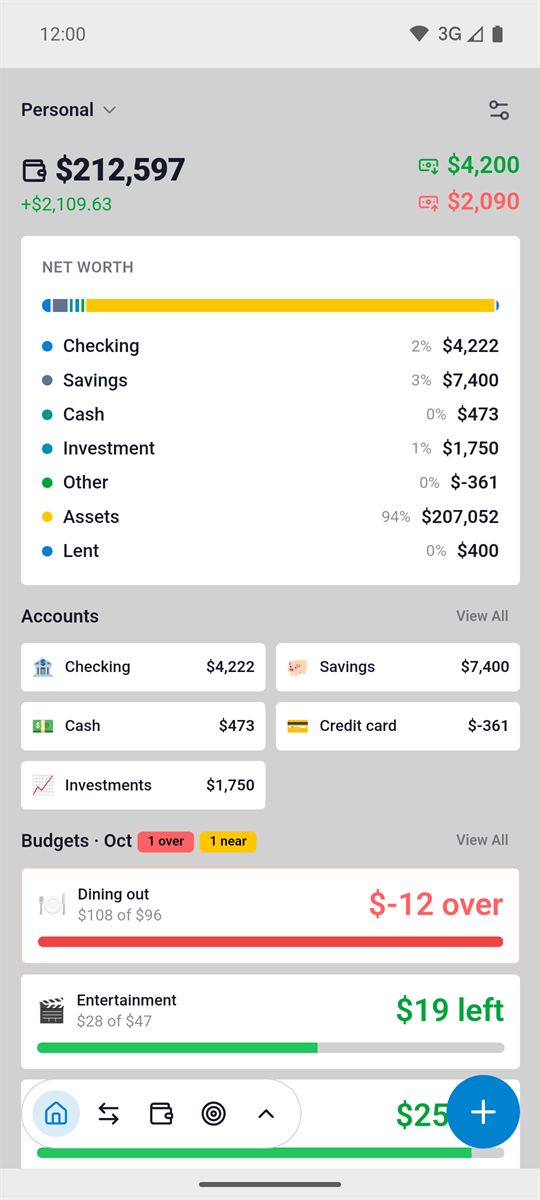
Real screens from the Android app, not a concept mockup.
Balance, budgets and accounts at a glance.
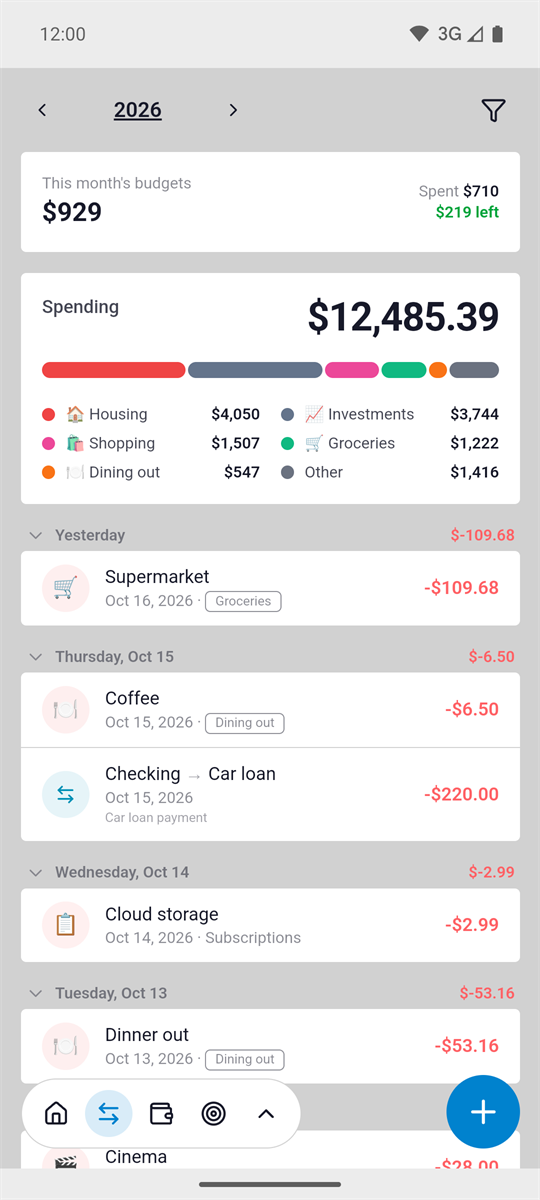
Search, filter and tag every entry.
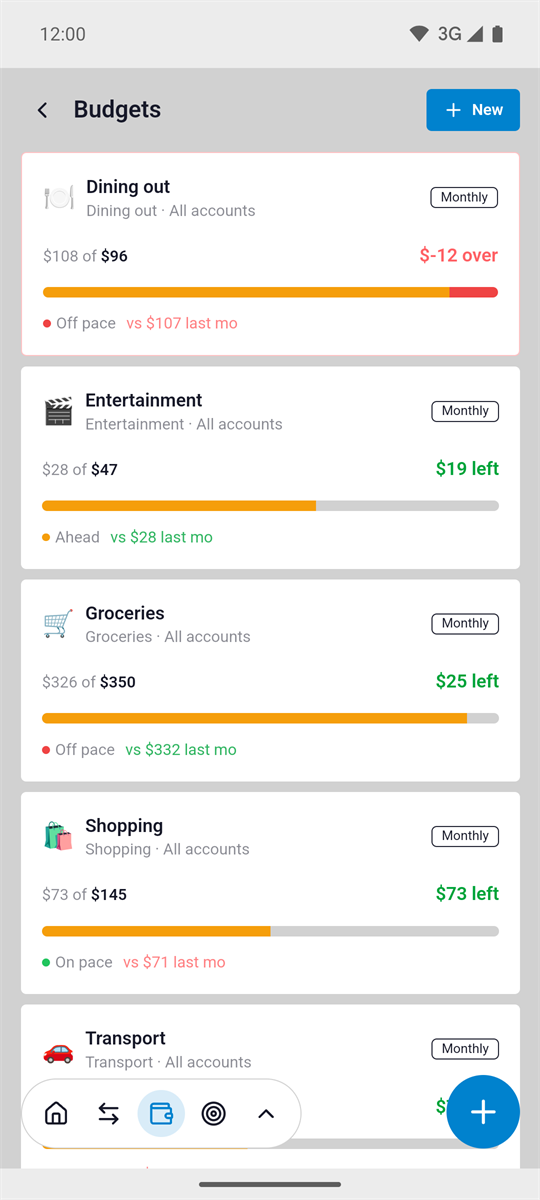
Category limits with a clear status.
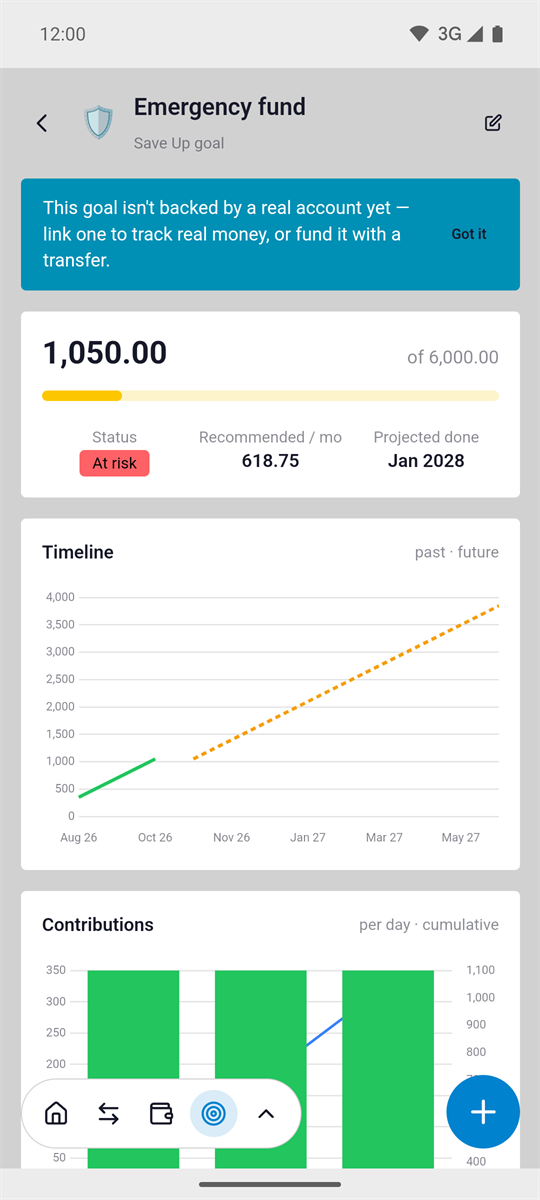
A target that fills with every contribution.
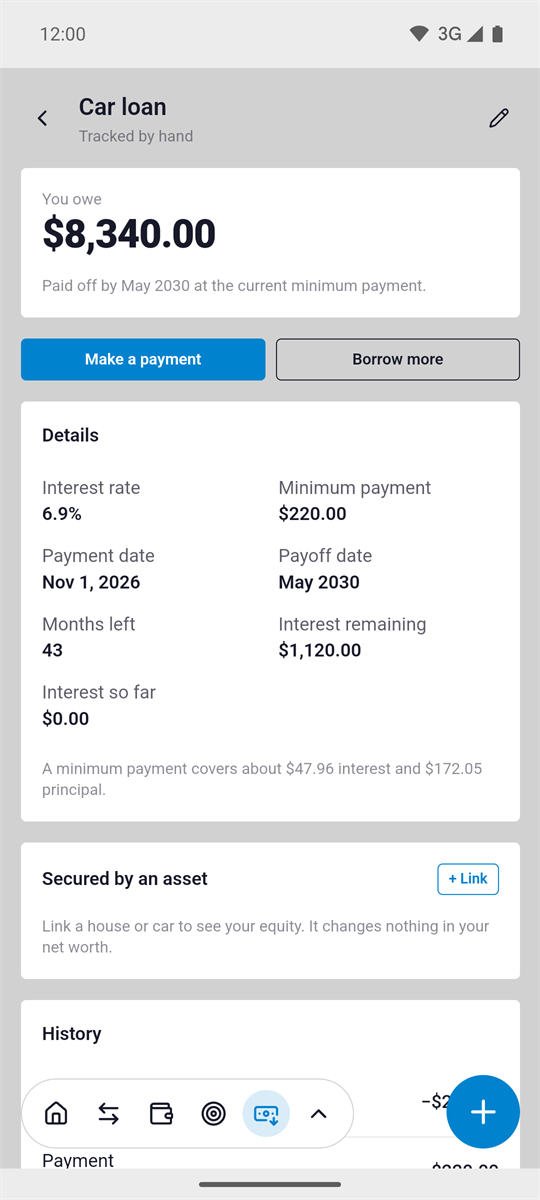
Payoff plans you can follow.
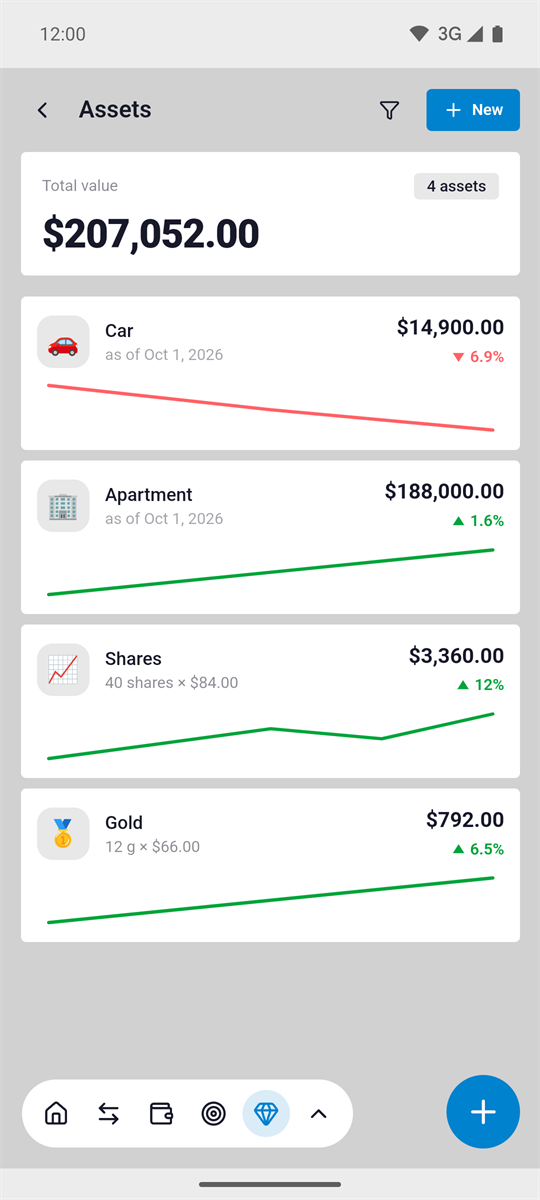
Everything you own, in one net worth.
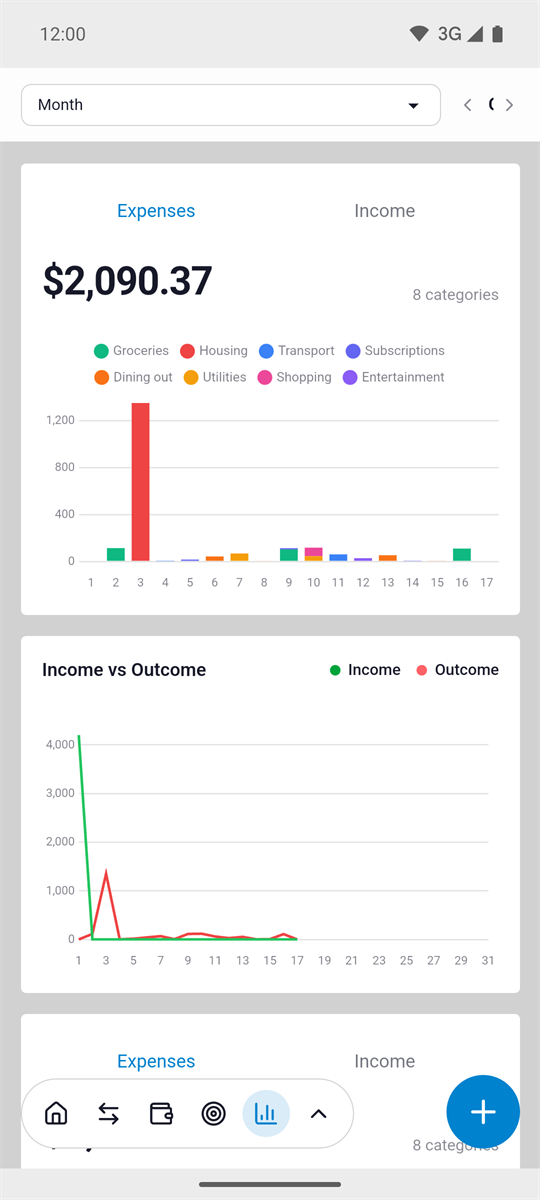
Income and spending trends by period.
Free planning tools
The same calculators that ship inside Costero, free in your browser. No sign-up, no email, and nothing you type is saved or sent anywhere.
Compare avalanche, snowball and your current payments. See the interest each plan costs.
Monthly payment, total interest and a year-by-year summary of what you borrow.
How long it takes to reach a target at your current monthly saving rate.
What a starting amount and regular contributions could grow to over time.
How many months your savings would cover, and how much more you need.
The monthly payment, the total cost, and your net worth with and without the purchase.
Compare the wealth you would build renting and investing against buying a home.
Seven free planning tools. No sign-up, no email, no stored numbers.
Pricing
No subscription, no ads, no feature rented back to you every month. Pro is a single in-app purchase, and the price is always shown in Google Play first.
The whole daily budgeting loop, with sensible limits.
Pay once. Every Pro feature, including the ones added later.
No subscription. No ads. No renewals. Price is region dependent.
Your data
There is no Costero account server, no analytics pipeline and no ad network. Crash reports are opt-out. Your ledger lives on your phone, where it belongs.
Your accounts, transactions and budgets sit in a local database on your phone.
No ad identifiers, no location, no contacts or media library access, and no usage tracking. Files you attach stay on your device. Crash reports are opt-out.
Use the app without an account. Pro-only Google Sign-In just connects your backups.
Pro backup files go to your own Google Drive app data folder. No one else can see them.
Yes. Costero is free to download and the core features are free. Pro features are unlocked with a one-time purchase.
No. You can use the app without signing in. Google Sign-In is optional and only used to connect backups to your own Google Drive.
Yes. Transactions, budgets, goals and reports work offline. Online backup, exchange rates, sign-in and crash reports use the network.
Pro is a one-time purchase. The current price is shown in Google Play before you pay, and it is region dependent. There is no subscription.
On your device. Pro backups go to Google Drive's private app data folder, which only Costero can access. Android's own device backup may also copy the local database to your Google account. No Costero servers store your ledger.
Yes. Export a full JSON backup, or your transactions as CSV, at any time and for free. There is no lock-in.
No ads and no usage analytics. Crash reports help fix bugs, carry no ledger data by default, and can be turned off in Settings → Application → Privacy. The app does not sell data.
Costero is available for Android 7.0 and newer on Google Play.
Download Costero free, or try a calculator first. Either way, no account is needed.